Step-by-step instruction on how to import awesome tree sequences.


Step-by-step instruction on how to import awesome tree sequences.
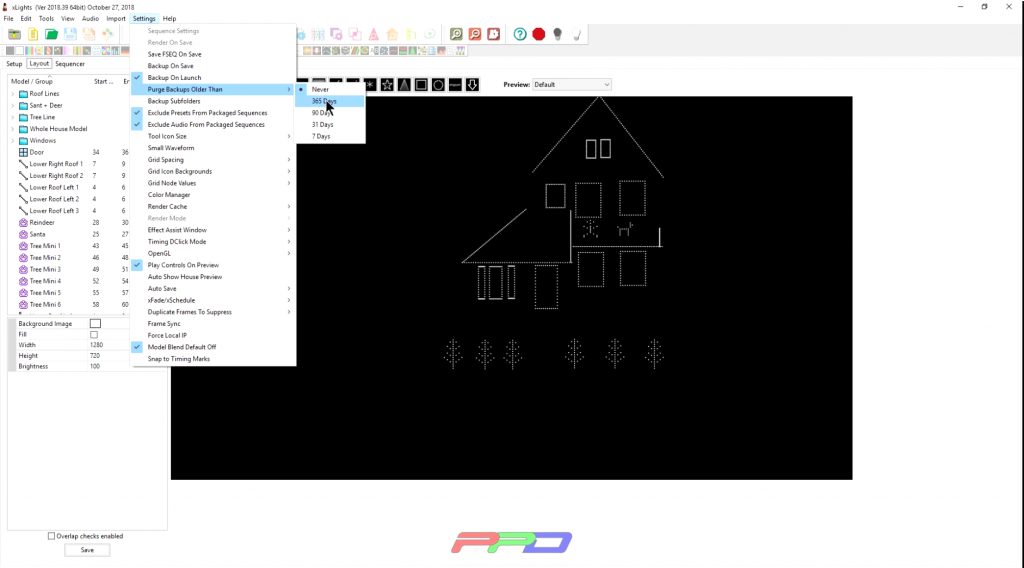
Lost your xLights layout or network? Follow this FREE video on how to recover your data. And, learn how xLights can help you keep backups of your work
Updated June 2026: We’ve completely refreshed this article with an all-new Twinkle Tips Friday video, updated screenshots, and current xLights techniques. The original Vimeo tutorial is no longer available. Click here for our updated content page Want to make your… Read More
GARLAND PAUSE EFFECT IMPRESS YOUR AUDIENCE You would love this insightful video tutorial on the Garland Pause Effect including the five different colors and fill effects (with those same five colors that were used). Starting with the transition effects with… Read More
DISPLAY BRIGHTNESS SMART DISPLAY SETTINGS This is a quick tip on how you easily, and, of course, conveniently set the brightness of your display. In previous editions, we had to go into the Falcon controller setup page on the string… Read More
In my daily sequencing I tend to heavily favor group sequencing over individual model sequencing. Why? Because I like to be thrifty with my effects. The Per Model Default render style is the easy way to overlay the same effect… Read More
August second session is now available to view. We covered some questions asked in the groups. Also we reviewed the new enhanced LOR data protocol that was added in February 2018. Your standard AC and Pixie controllers are now supported… Read More
PART 1 An interactive and practical session on some very important features in xLights. In this video, you will learn easier and more fascinating how to build a mega tree, as well as how to incorporate stunning effects using any… Read More
Continuing the discussion on the render styles. Here is the Default Model as a Pixel. Render Styles Pt11 Default Model as a Pixel from Pixel Pro Displays on Vimeo.
This video highlights some practical ways on how to prep your setups to upload into your controllers. You will also discover: – Some interesting xLights upgrades that are compatible with the Falcon, Raspberry Pi, E682 and more. – How to… Read More